

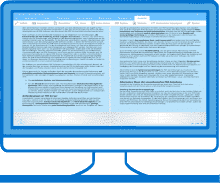
Windows 10 users: Perfect PDF® Professional is available in Windows Store.
Buy Now


Features
 Quickly open PDF, XPS & OXPS files. Various viewer layouts, fit modes, zoom tools. Print documents with different layout options.
 Navigate using links, bookmarks, outlines and/or semantic zoom, search text. Fill in PDF forms. Support of layers (optionally visible content).
 Import XPS (OXPS), SVG, image and text files, scan or capture from webcam into PDF files.
 Combine several PDF, XPS and other files into one PDF. Extract pages to PDF file, split multipage document to PDF files.
 Shared comment review in PDF. Replies to comments are especially useful, if participants can read the comments of each other
 Text markup tools (highlight, underline, strikeout, insert and replace text), pen and eraser tools (ink annotations).
 Export from PDF to XPS (OXPS) or text files, export pages as image files. Convert PDF files to PDF/A files.
 Manage (reorder, resize, delete) pages. Edit links, bookmarks and outlines. View / change document properties.
 Decorate pages: add background or letterhead, header and footer, watermarks and stamps.
 Validate signatures and digitally sign PDF files, add timestamps to the signatures.
 Encryption / decryption of PDF files using AES/RC4 algorithms, set security properties and user permissions.
For more screenshots, informations and prices, visit Windows Store.
Runs good on:


Languages:
 Deutsch Deutsch |
 English English |
 Français Français |
 Русский Русский |
 Italiano Italiano |
 Español Español |
 日本の 日本の |
 中国 中国 |
 한국의 한국의 |